Consistently 3 questions are asked and discussed across forums and also doing Data Science Job Interviews. And these questions are:
- How do you read large files in R?
- How do you merge data frames in R?
- How do you sort a data frame in R?
R is an open source Statistical Computing Environment and provide a number of R packages to perform Advance analytics and data science applications.
In the course of proceeding to advance analytics or data science, we have to perform a number of data manipulation or munging activities. One of the first step is to read large files.
So one of the first questions typically asked in number of forums is "How to read large file in R?" In this blog, we summarize the different methods available and commonly used for reading large files into R/R Studio.
Reading very large tables as data frames in R
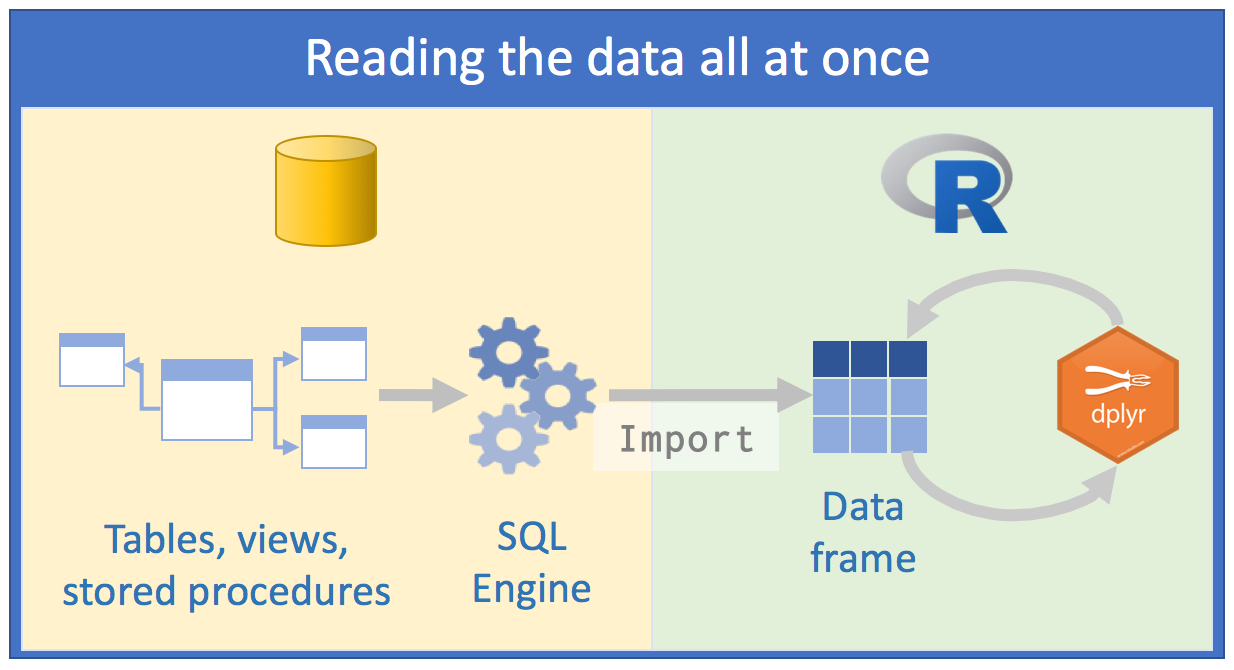
One of the key point about R is that it reads data into R. So size of RAM for your laptop or server govern the size of file the system is able to read.
The file is not a typical big data file but definitely a large file which is around 850MB. It has 4.3M observations and 34 variables.
Time taken in reading a file can be calculated by finding time before and after reading a file. The function to find time of a system in R is system.time .
Using read.csv function
Normally for reading a csv file in R, function read.csv is used.
1
2
3
4
5
|
start <- Sys.time()
big.file <- read.csv(file="test_set.csv",header = T)
end <- Sys.time()
end-start
|
Of course, system configuration will play an important role, we aim to give a comparative view of different options available for reading large file using R. Again, we want to provide a caveat that it is only based on one scenario.
read.csv file has taken around 1.9 minutes. Time difference of 1.920326 mins.
Reading large csv file using sqldf
sqldf package has a function with same name. This function is quite useful in data manipulations and can also used for reading file.
The time taken in reading the file is over 2 minutes. Time difference of 2.016909 mins.
Reading large csv file using fread from data.table
Now we will experiment another function fread from data.table package and estimate the time taken to read the file.
1
2
3
4
5
6
|
install.packages("data.table")
library(data.table)
start <- Sys.time()
big.file <- fread("test_set.csv",header = T)
end <- Sys.time()
end-start
|
read has read the data file within 1.39 minutes. And one of the additional features which is quite interesting is that it gives % completion during the reading process.
Now, we want to use read_table function of readr package . Also, if files are very large to be handled using your system configurations, you may want to use Revolution R or Big Data environment.
In the future blogs, we will discuss on setting up distributed environment on a laptop and using big data/haddop frameworks for handling large files.
Next 2 questions are:
- How do you join or merge data frames (inner, outer, left, right) in R?
- How to sort a data frame by different column(s)?
Reference
- http://www.cerebralmastication.com/2009/11/loading-big-data-into-r/
- http://stackoverflow.com/questions/1727772/quickly-reading-very-large-tables-as-dataframes-in-r
Comments
Post a Comment